> For the complete documentation index, see [llms.txt](https://docs.keeta.com/llms.txt). Markdown versions of documentation pages are available by appending `.md` to page URLs; this page is available as [Markdown](https://docs.keeta.com/features/native-tokenization/built-in-rules-engine.md).
# Built-in Rules Engine
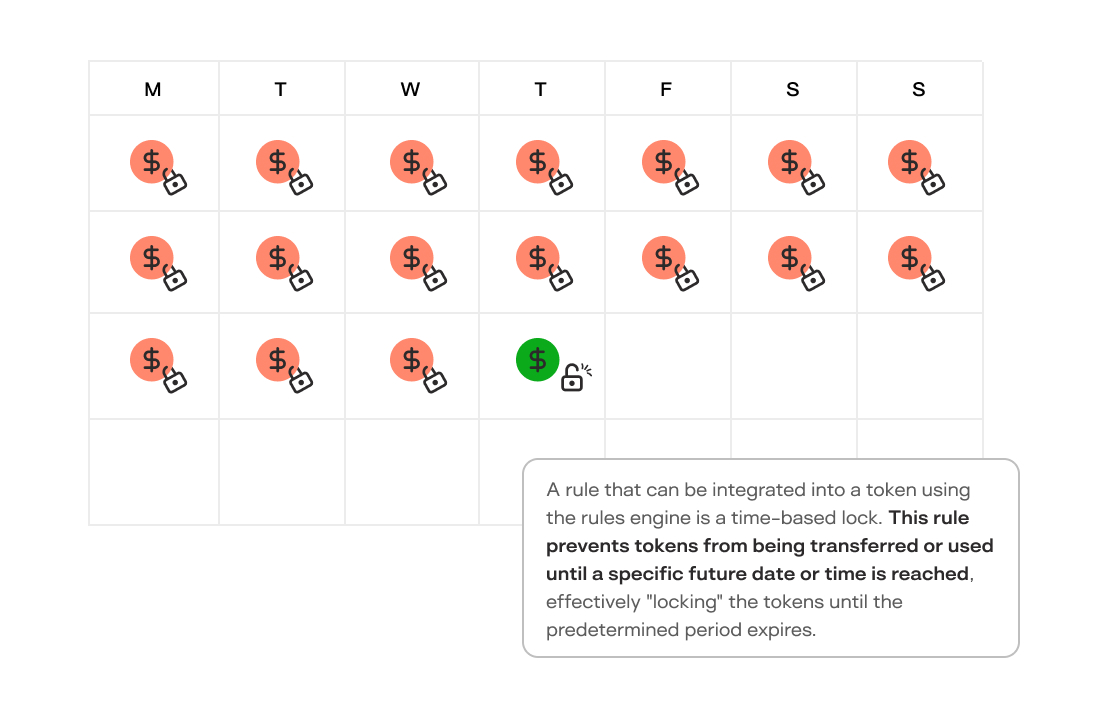
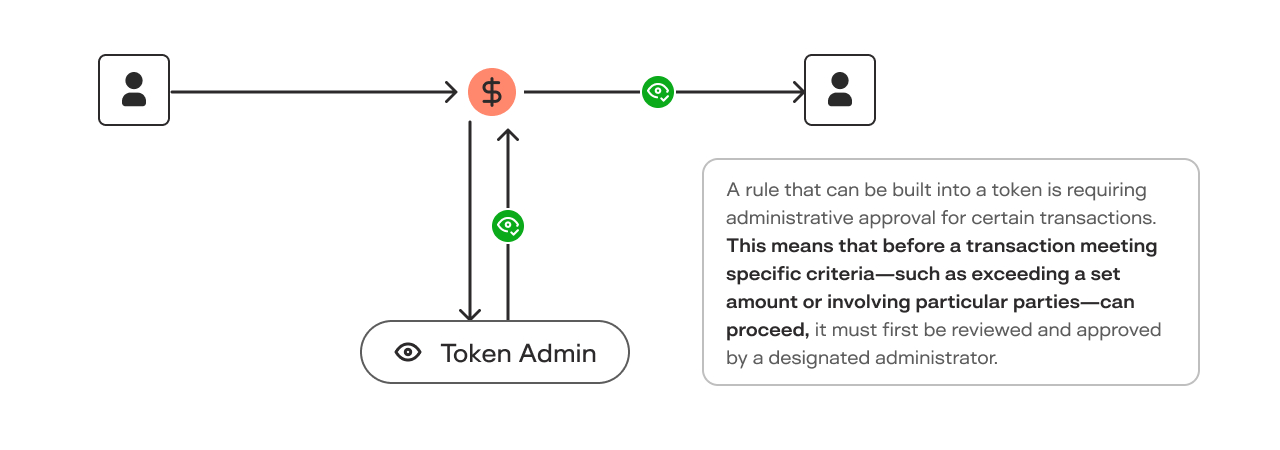
Keeta's blockchain includes a rules engine that allows token creators to attach specific rules to tokens when they are issued, or later in their life-cycle. These rules define how the token can be used, transferred, or managed on the network. For example, a rule might restrict transfers to certain users, set specific transaction dates, or require approval before transactions can occur.
Time-Locked Tokens Example
Transaction Approval Requirements Example
**Automatic Enforcement of Token Rules**
The network automatically enforces these attached rules. Whenever a transaction involving the token is initiated, the network checks the token's rules to ensure the transaction complies with them. If the transaction doesn't meet the specified conditions, the network will deny it. This automatic enforcement ensures that all token activities adhere to the intended guidelines without the need for manual oversight.
**Updating Token Rules After Issuance**
One of the key features of Keeta's rules engine is the ability to update the rules even after the token has been created and distributed. Token issuers can modify the rules to adapt to new regulations, changing business needs, or other factors. Once the rules are updated, the network applies the new conditions to all future transactions involving that token.
---
# Agent Instructions
This documentation is published with GitBook. GitBook is the documentation platform designed so that both humans and AI agents can read, navigate, and reason over technical content effectively. Learn more at gitbook.com.
## Querying This Documentation
If you need additional information that is not directly available in this page, you can query the documentation dynamically by asking a question.
Perform an HTTP GET request on the current page URL with the `ask` query parameter, and the optional `goal` query parameter:
```
GET https://docs.keeta.com/features/native-tokenization/built-in-rules-engine.md?ask=&goal=
```
`ask` is the immediate question: it should be specific, self-contained, and written in natural language.
`goal` is optional and describes the broader end goal you are ultimately trying to accomplish on behalf of the user. GitBook uses it to tailor the answer towards what is most useful for that goal.
The response will contain a direct answer to the question and relevant excerpts and sources from the documentation.
Use this mechanism when the answer is not explicitly present in the current page, you need clarification or additional context, or you want to retrieve related documentation sections.